Move from dashboard to document
The report export is available on the Okta details page. It brings the reporting view into a document format, so your team does not have to assemble a review from disconnected screenshots.
Client reports
Turn the Okta details page into a shareable PDF. Give clients a report they can read alongside your explanation, with a layout that follows the information they see in the portal.
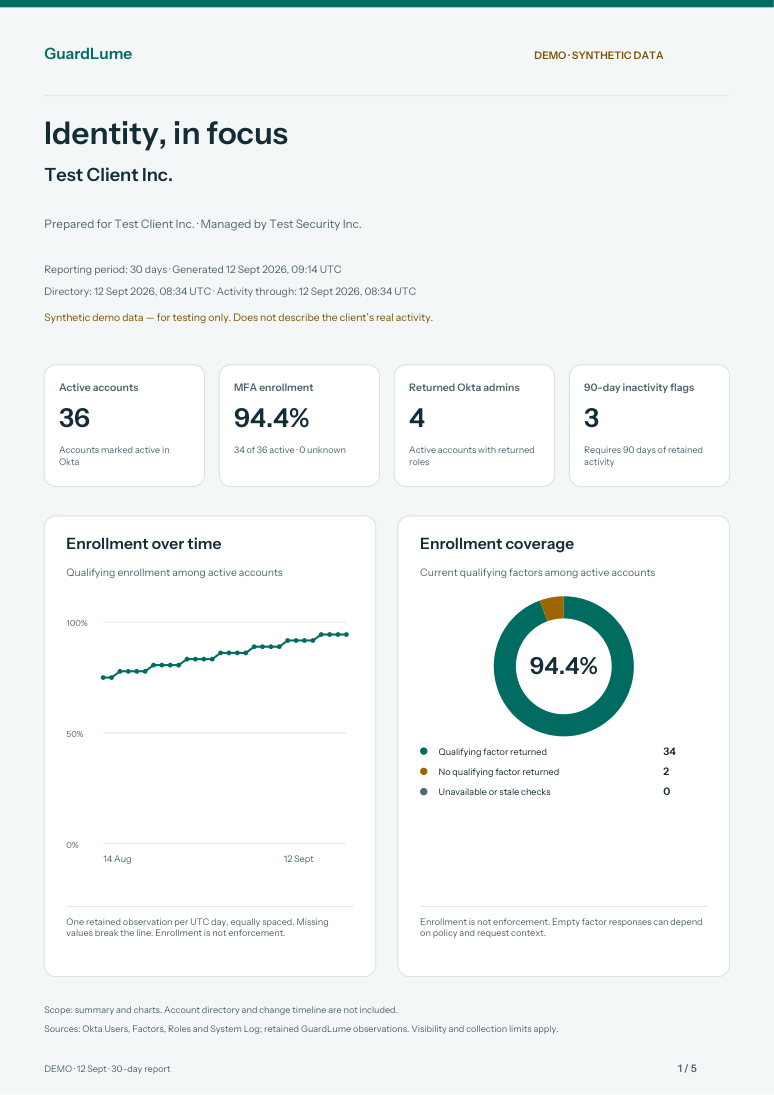
Client reports in practice
The report export is available on the Okta details page. It brings the reporting view into a document format, so your team does not have to assemble a review from disconnected screenshots.
Measures and charts follow the dashboard’s presentation. Clear section titles help readers move through the information and return to the corresponding area in GuardLume when they want to investigate further.
Share the report in a client review, circulate it to colleagues or use it as a starting point for follow-up questions. Explain the reporting period and available observations so readers understand what the document represents.
A report describes available information at export time. It is not a live view, certification or guarantee of protection. MFA enrollment does not establish policy enforcement, and incomplete evidence should remain part of the discussion.
Good questions
No. A downloaded PDF is a point-in-time document. Return to GuardLume for updated observations and export again when needed.
The current report export is built for the Okta details page. Additional service reporting should only be expected when explicitly available in the product.
Keep exploring
Your next client experience
Give clients a shared place to review the information and work with your team.
Allow Google Analytics to measure visits to our public website using analytics cookies? Your choice won’t affect access to GuardLume. You can change it anytime using Analytics preferences below.