Create your workspace
Register your provider and complete the available billing steps.
Security, in a clearer light.
A cybersecurity client portal for security providers. Bring Okta reporting, downloadable reports and helpdesk conversations into one understandable workspace for every client.
Built for providers. Made understandable for clients.
The platform
Your team works across security tools. Your clients need a clear place to understand the information and ask questions. GuardLume brings those experiences together, with each client organization kept in its own workspace.
Help clients find their services, understand their account information and reach your team. Give your provider team a consistent workspace across the organizations you support.
Explore client portal 02 / Okta reportingGive your clients a readable view of their Okta information. Review enrollment, accounts and historical observations together, then turn questions into a conversation with your team.
Explore okta reporting 03 / Zoho Desk integrationBring your existing Zoho Desk conversations into the client portal. Clients can review their organization’s tickets, create requests and reply without leaving GuardLume.
Explore zoho desk integration 04 / Client reportsTurn the Okta details page into a shareable PDF. Give clients a report they can read alongside your explanation, with a layout that follows the information they see in the portal.
Explore client reportsFrom information to understanding
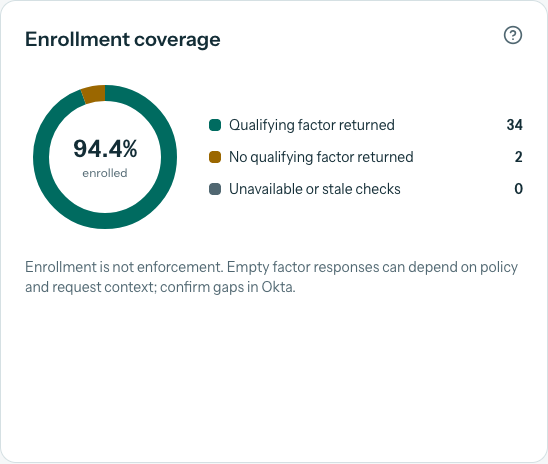
Help clients review active accounts, MFA enrollment, returned administrators and inactivity findings. Historical charts and an account directory give your team and your clients a common starting point for a review.
Explore Okta reporting ↗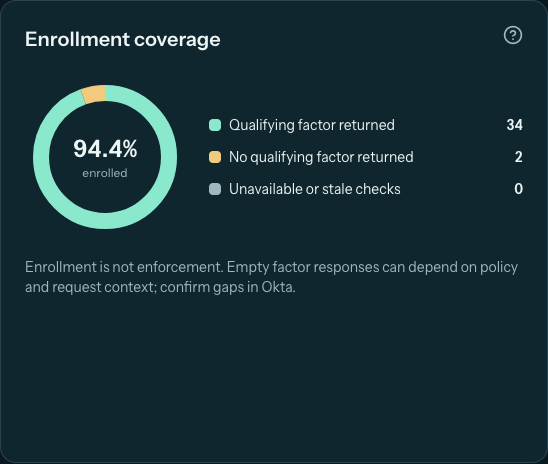
Illustrative ticket draft
Context: 50% enrolled for MFA.
Question: What should we review for the remaining accounts?
Example only. The actual form uses the selected block’s context and lets the client edit their message.
Connected support
A client can ask about a particular Okta section without starting from a blank message. GuardLume prepares the section title and context, lets the client add their question, and sends the ticket through your connected helpdesk.
See how Zoho Desk connects ↗A report to take with you
Export the Okta page as a PDF report for a client meeting or an internal discussion. The report follows the dashboard’s visual structure, making it easier to connect the conversation to the information on screen.
Explore PDF reports ↗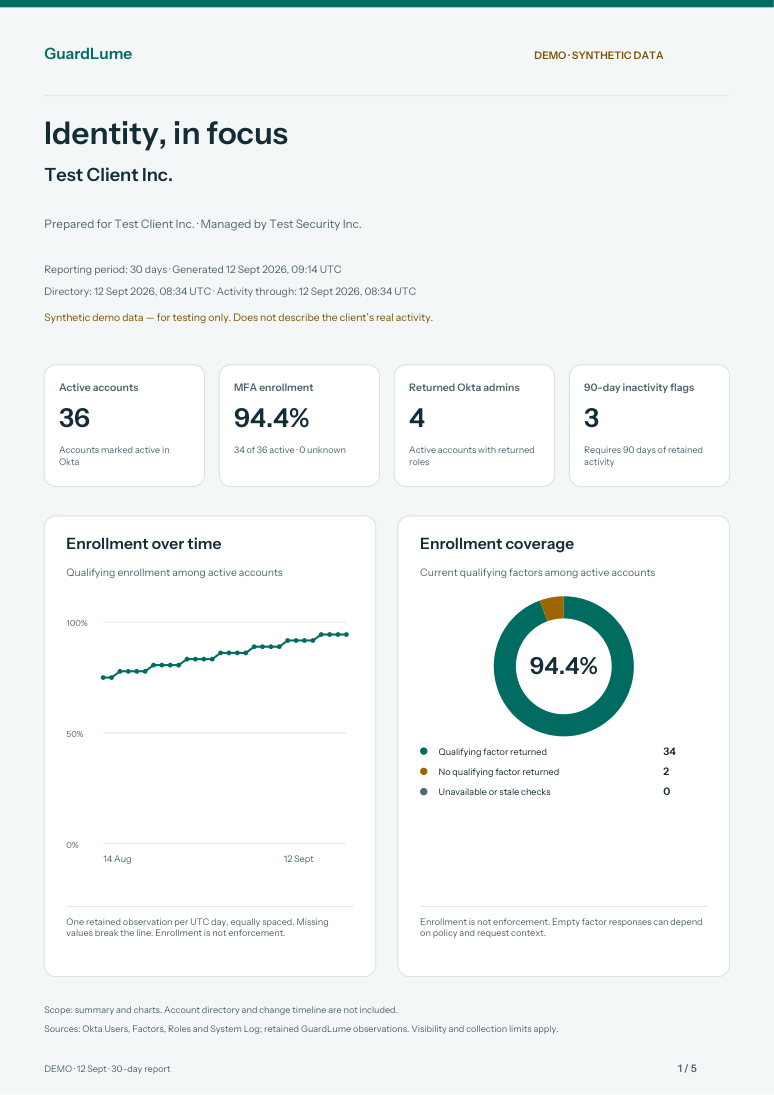
How it works
Register your provider and complete the available billing steps.
Create the organization and assign the right people and services.
Configure Okta and, when needed, your Zoho Desk account mapping.
Invite client users to review, ask questions and download reports.
Your provider identity
Configure your provider branding, invite your team and choose the right client access. Optional Okta single sign-on gives configured clients a familiar way to sign in.
Learn about client access ↗Provider teams and client contacts have different roles. Organizational access stays explicit, and branding does not change who can see client information.
Client-based pricing
Client invitations do not use extra client slots. Your external Okta and Zoho Desk subscriptions are separate.
See pricing details ↗Good questions
GuardLume is built for security providers and the organizations they serve. Providers manage client workspaces and integrations; invited client users review their organization’s services and work with their provider.
Okta is available for account information and reporting, and Zoho Desk is available for helpdesk tickets. Providers can also configure Okta single sign-on for a client. Additional helpdesk integrations are planned, not currently offered.
Users see the organizations and services their memberships permit. When a client is connected to a Zoho Desk account, both client administrators and client users can see and manage tickets assigned to that account.
Yes. Tickets assigned to the client’s connected Zoho Desk account can appear in GuardLume, including tickets created directly in Zoho Desk. Tickets without that account assignment must be assigned in Zoho first.
Yes, when their provider enables and configures Okta SSO for the client. An Okta app assignment alone does not grant GuardLume access; the user also needs an eligible membership or invitation.
Yes. The Okta details page supports PDF report export, allowing clients and providers to share a readable view of the reported information.
No. Enrollment describes qualifying factors returned by the integration. Sign-in policy enforcement is a separate question. Missing or stale evidence needs review and should not be interpreted as proof that an account is protected.
Your next client experience
Give clients a shared place to review the information and work with your team.
Allow Google Analytics to measure visits to our public website using analytics cookies? Your choice won’t affect access to GuardLume. You can change it anytime using Analytics preferences below.